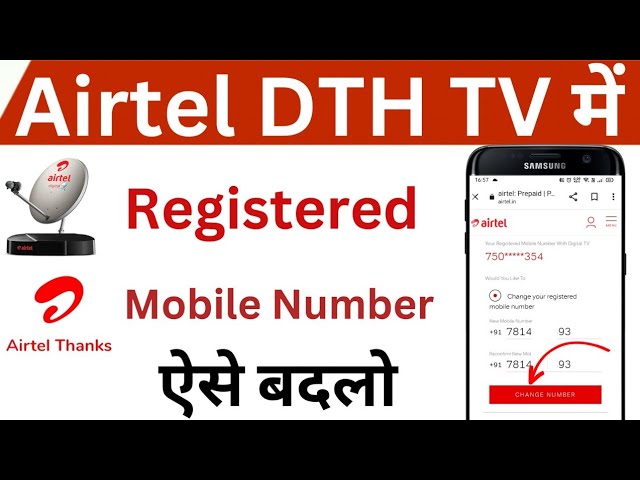
Keeping your contact information current with service providers is crucial for a seamless experience. For Airtel DTH users, the registered mobile number acts as a primary point of contact for important notifications, account management, and customer support interactions. If you’ve recently changed your phone number, lost access to your old one, or simply wish to update your details, knowing how to change Airtel DTH registered mobile number is essential. This guide will walk you through the various methods available to ensure your DTH account details are always up-to-date, providing clarity and ease for all users.
Why Update Your Contact Information?
An outdated registered mobile number can lead to several inconveniences and missed opportunities. Ensuring your details are current is not just about convenience; it’s about maintaining full control over your service.
- Timely Notifications: Receive alerts about upcoming recharges, plan expiry, special offers, and service updates directly to your active number.
- Account Security: Your registered number is often used for OTP verification during login or for making critical account changes, safeguarding your DTH service.
- Seamless Recharges: Many online recharge platforms and the Airtel Thanks app rely on your registered number for quick and accurate transactions.
- Customer Support: When contacting customer care, your registered number helps in swift account identification and faster resolution of queries.
Methods to Initiate an Airtel DTH Mobile Number Change
Airtel offers multiple convenient ways to update your contact details, catering to different preferences and situations. You can choose the method that best suits your needs to facilitate your Airtel DTH mobile number change.
Through the Airtel Thanks App
The Airtel Thanks app is a comprehensive self-service portal that allows you to manage various Airtel services, including DTH. This is often the quickest and most straightforward method.
- Download & Login: Ensure you have the Airtel Thanks app installed on your smartphone and log in using your existing details or by generating an OTP to your current registered number (if accessible).
- Navigate to DTH Section: Once logged in, find the DTH section within the app. This is usually visible on the main dashboard or under a ‘Services’ tab.
- Find Profile/Settings: Look for options like “Manage Account,” “Profile,” or “Settings” related to your DTH connection.
- Update Mobile Number: Within the profile management section, there should be an option to “Change Registered Mobile Number” or “Update Contact Details.” Follow the on-screen prompts, which will likely involve entering your new number and verifying it via an OTP.
- Confirm Change: After successful verification, your new mobile number will be updated, and you’ll typically receive a confirmation message.
Contacting Airtel DTH Customer Care
If you prefer speaking to a representative or are facing issues with the app, calling customer care is an effective solution.
- Dial Helpline: Call the Airtel DTH customer care number (usually 121 from an Airtel number or 1860-500-6500 from any number).
- Account Verification: Be prepared to provide your DTH subscriber ID, name, address, and potentially other details for verification purposes.
- Request Change: Clearly state that you wish to change your registered mobile number and provide the new number to the representative.
- Follow Instructions: The agent will guide you through any additional verification steps and confirm the update process.
Visiting an Airtel Store
For those who prefer in-person assistance or need to resolve complex issues, visiting an authorized Airtel store is a viable option.
- Locate a Store: Use the Airtel website or app to find the nearest Airtel store or service center.
- Carry Documents: Bring necessary identification documents (like Aadhaar card, PAN card, Driver’s License) and your DTH subscriber ID for verification.
- Request Assistance: Explain to the store executive that you want to update your registered mobile number.
- Complete Formalities: You might need to fill out a form or provide biometric verification, depending on the store’s procedures.
What to Expect During the Change Process
Regardless of the method you choose to update your contact information, the process typically involves a few key steps to ensure security and accuracy. You will almost certainly need to verify your identity, often through an OTP sent to either your old or new number, or by providing specific account details. After you submit your request to change your registered mobile number, the update is usually processed within a few hours to 24 hours. You should receive a confirmation SMS on both your old and new numbers once the change is complete, signifying that your account has been successfully updated with the new contact details.
FAQ
Can I change my Airtel DTH registered mobile number online without the app?
While the Airtel Thanks app is the most common online method, some limited functionalities might be available via the Airtel DTH website, though the app provides a more comprehensive and user-friendly experience for such changes. Customer care is another direct option.
What documents do I need to change my registered mobile number at an Airtel store?
You typically need a valid Photo ID (e.g., Aadhaar card, Driver’s License, Passport) and your Airtel DTH subscriber ID. Proof of residence might also be requested in some cases.
How long does it take for the new mobile number to be updated?
Generally, the update process is quite fast. Once the verification steps are completed, your new mobile number should be active on your DTH account within a few hours, though it can sometimes take up to 24 hours.
Will changing my mobile number affect my existing DTH plan or balance?
No, changing your registered mobile number only updates your contact information. It has no impact on your existing DTH plan, subscription, channel packs, or account balance.
What if I don’t receive an OTP for verification?
First, check your network signal and ensure your new number is active. If you still don’t receive it, try resending the OTP, or contact Airtel DTH customer care for assistance.
Updating your Airtel DTH registered mobile number is a simple yet vital task that ensures you stay connected and informed about your DTH services. By following the steps outlined above, whether through the convenient Airtel Thanks app, a quick call to customer care, or a visit to an Airtel store, you can effortlessly keep your account details current. Staying proactive with your account information ensures you never miss out on important updates or struggle with managing your DTH connection.